Wednesday, April 19, 2017


Blog Post 10

·         What is an AAC device?
-An AAC device is an alternative way to assist students with a language disorder. This makes it easier for the student to speak into a device or have the text read to them. An AAC device is either unaided or aided. With an AAC device, there are three major components- symbol system, vocabulary, and access.  
·         What are some resources for implementing a device?
-Some resources for implementing a device are to construct a message using symbols, deliver a message to another person, and further respond to receiver in a timely manner.

·         What is an example of an AAC device and how would you implement in the classroom?
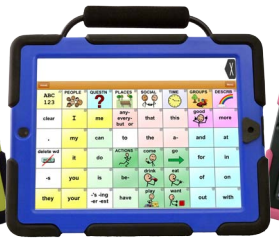
-An example of an AAC device is  the TapSpeak Choice app. This app helps the user to communicate with a solid core vocabulary base. This app has a range of options for any user with any range of visual and motor abilities. The motions such as swiping, pinching, weak motions,  and palm resting, this app helps with. A student can use this app on the iPad within the classroom for the specific lesson that the teacher is doing or needs the student to complete. The teacher and student can customize to make is appropriate for the individual students needs such as adjusting the voice control.   

Blog Post 9

·         What is a Behavior Intervention plan?
-A Behavior Intervention Plan helps determine the function of the behavior and defines the problem behavior. A BIP is used to make data based decisions to continue, change, or stop the intervention.

·         Why is it important to keep data on student behavior?
-It is important to keep date on student behavior because the data will help see how our BIP is working or not working, if the plans needs to be more intense for that student or less intense. Tracking the data also helps with the frequency and duration of the behavior.

·         Choose a behavior AT tool. Name the tool, include a picture, resource for finding the tool, student in which it is appropriate for, and describe the implementation of the tool in a classroom with specific ideas.
-A behavior AT tool that can be used within the classroom is the clicker. The clicker is used for the teacher to tell how many times the student does something, such as getting up and down from their seat or how many times they move around from their seats. The teacher can put the clicker in a spot that is easy to reach such as in their pocket or on their lanyard. As the student gets better with the BIP plan, the student can use the clicker on their own to track their own behavior. The clicker can also be used for when the student does something well. The teacher can click the clicker each time that specific task happens. A reward system can be built upon by using the clicker.

Tuesday, April 18, 2017

Blog Post 11:

What students are served under IDEA Part C?
  • Students that are served under IDEA Part C are infants and toddlers.

 What is an IFSP?
  • An IFSP is an Individual Family Service Plan for early childhood students with developmental delays. An IFSP only applies to children from birth to the age of three.
 

 What is important to remember when thinking about EC and AT?
  • When thinking about EC and AT it is important to remember is that they are both part of an IFSP. It is an inclusion classroom with the parents being partners. There is more time for teacher to student interaction since the teacher to student ratio is smaller. AT supports the environment, student needs, and the ability to adapt.

 Find a tool that is appropriate for Early Childhood age AT. Describe the tool. Include ideas for implementation as well as resources.
  • A tool that can be used for Early Childhood as an AT device are talking books. These books can be used for reading time within the classroom or even at home. The student does not need the teachers help for using the talking books and the student can be independent when using them. If the teacher is reading a book to the class, the student using the talking book would be able to follow along with the teacher as the teacher is reading the story. This can also be useful for the student for speech to text to make it easier on the student. The student would be able to use the talking books at their seat, on the floor, anywhere to make the student feel more comfortable.


Wednesday, March 22, 2017


Blog Post 8: 


What are the components of the writing process?
  • The components of the writing process are prewriting, writing, revision, editing, and publishing.

  What are some difficulties students with disabilities have in writing?
  • Some difficulties that students with disabilities might have in writing are difficulty recognizing and writing words,  slow writing speed, poor spelling and handwriting, fine motor problems, and writing fluency.

What is one technology tool to assist students with the writing process?
Please describe the tool, suggest ways to implement in the classroom, and link to a resource on the tool. Make sure to include pictures.
  • One technology tool is an alternative keyboard. This is beneficial to a student whom may have LD or trouble typing. This tool will reduces input choices, groups keys by color/location, and adds graphics to aid comprehension. These type of keyboards have special overlays that customize the appearance and function of a standard keyboard. This tool is easy for a student to access within the classroom and does not need the teacher assistance.

Blog Post #7: Math


What are some common areas that students struggle with in mathematics?
  • Some common areas that students struggle with in math are understanding math concepts, steps to solving problems, reading the problem and the notation, understanding the language and vocabulary, cannot identify and organize the steps to start and finish the problem, and aligning numbers and forming shapes. To help find a solution to helping the students, the teacher can use a range of low to high tech tools such as manipulatives, talking calculator, and voice recognition math software. 
  •   


Choose a math AT tool. Describe the tool. Who is this tool appropriate for (what kinds of disabilities:)?) How would you implement in the classroom? What are some resources for this tool?
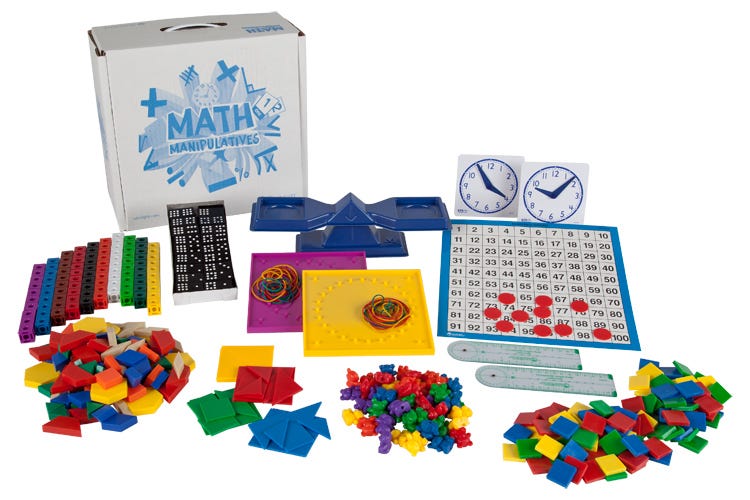
  • As a teacher, there are many math AT tool that can be used within the classroom. The teacher can use different math apps or websites to be incorporated into the classroom to help assist students. One low tech tool that is very useful are manipulatives. I remember all throughout my elementary school experience, my teachers would have different manipulatives that we can use in the classroom if we needed extra assistance. Manipulatives are not just for students with disabilities. They can be used to help assist anyone having trouble in math and learning a particular skill. Such tools as manipulatives are a good hands on activity. Students are able to touch them and use them in anyway needed to help assist. Manipulatives can be hands on or virtual on the computer. Either way, this is a great tool for teachers to  have access to within the classroom.   
  •  


Blog Post #6:

  •   How can technology facilitate communication?
    • Technology can facilitate communication by having the student receive hearing assistive technology. Some examples of this are alerting devices, amplified telephones, TTY/TDD devices, relay service/video relay, pocket speak-and-read portable VCO, and text messaging. The teacher must know and understand the different tools the student might be using and how to apply that within the classroom. The book explains many different tools that the students can access to make it easier for their learning environment. Whether it is an app on the iPad, a speech to text tool, or a website to use, there are many ways to help assist the students and their different needs.    
  • How can UDL be applied in teaching students who are   deaf and blind?
    • Within a classroom, UDL can be applied in teaching students who are deaf and blind in many ways. For some students, they have trouble following lectures, talking with their peers and teachers, and communicating over the phone. Alerting devices and assistive listening devices can be used to help assist with the student. The school can provide tools for the student as well as the parents themselves.
  •   List one AT tool for working with students with sensory impairments. Include a resource, photo, and one way you would implement in the classroom.
    • There are many tools that a student can use if they have sensory impairments. An example of this are computer software and hardware, such as voice recognition programs, screen readers, and screen enlargement applications. To implement this into my classroom, a student with a sensory impairment will have an easier time using the computer with a software that will enhance the words and pictures on the screen. One computer program that I found I called "Dragon Naturally Speaking." This is a speech recognition software that the student can use. The student can use this software on their own to complete an assignment or while the teacher is speaking. It is easy to access for the student and can be used anytime.

    •  

Wednesday, February 22, 2017


Blog Post #5:

Selecting APPS:

1.       Describe the process used for selecting APPS. Use support from your readings to justify your response.  

·         It is based on the student’s needs. An example of the process is objective, targeted app, standard app, limitations/features, choosing the app, and identifying the learning needs.

2.       What are some reliable resources for selecting APPS?

·         Some reliable resources are an IPAD and an IPAD Touch. The apps could be portable to make it easier and could have a big screen for the student(s) to see. Each app should be geared for the specific student and what best fits their needs.


Blog Post #4:

1.       What is the SETT framework?

·         A SETT framework is used to promise collaborative decision making using AT services for students. SETT stands for student, environment, tasks, and tools.  

2.       How can it be used to make decisions for students with disabilities and AT?

·         This framework is designed to be a team effort to decide what is best for the student. It depends on where the environment of the student and the tasks that needs to be completed.   

3.       Resources for the SETT framework

·         AT technology


Blog Post #3:

Lesson Planning
•What makes the UDL lesson plan different?
-A UDL lesson plan provides flexibility for the students in ways that the information is presented, students respond or demonstrate knowledge and skills, and the students ate engaged.

•How do you determine the lesson assessment?
-To determine the lesson assessment, you adapt it for the students in your class. The learning environment is a huge factor on the students as well. There should be different ways for the student to do something so they can adapt.


•Resources for UDL Lesson Planning
-Resources for UDL planning are found on the UDL website. There should be many ways to keep the students engaged as well as providing different activities that fits the way that each child learns. Visual and nonvisual materials are used for every type of learner as well.


Blog Post #2:
What is UDL?
-UDL is a framework based on learning that guides development that can be accommodated for the individual student learning.
What are the three essential elements of UDL?
-Three Essential elements are means of representation, means of action and expression, and means of engagement.
What are some resources for UDL?
-Some resources for UDL are listed on the udlcenter.org website. There are guidelines and resources to assist. An example is a way for ESOL students to have a list of different strategies.


Blog Post 1:

What is Assistive Technology?
-Assistive Technology is any item used to increase, maintain, or improve functional capabilities of a child with a disability.


What are some examples of low, medium, and high tech devices? Include pictures and links for each
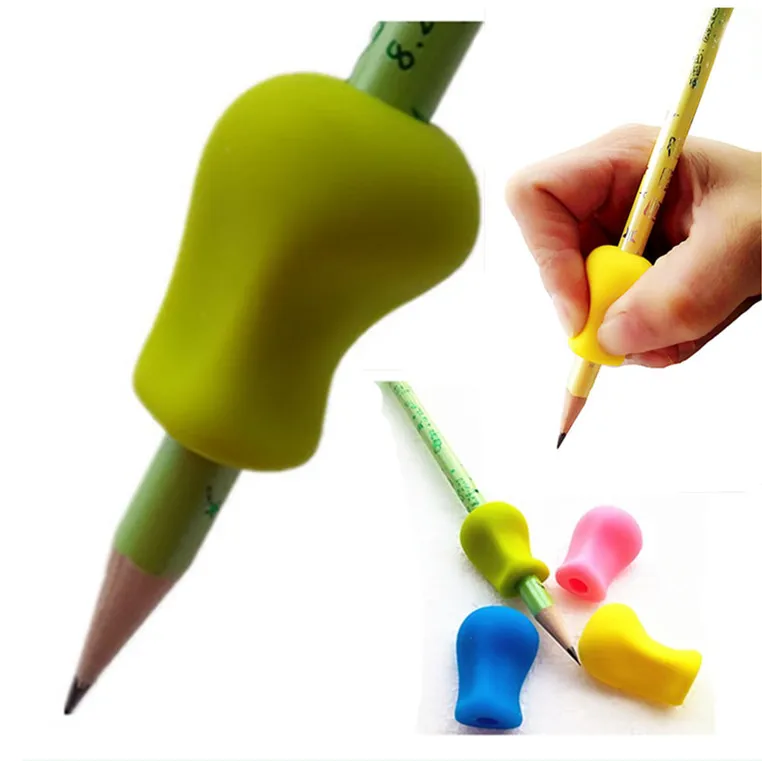
-Low: Pencil grips
-Medium: Talking calculator
-High: Augmentative and
alternative communication

What are some resources (for teachers or parents) on AT?
-Some resources on AT are AT device and AT service as stated by the IDEA such as a hearing aid.